lagi enak-enak browsing eh muncul kode HTTP 404 di salah satu website, contohnya seperti ini :
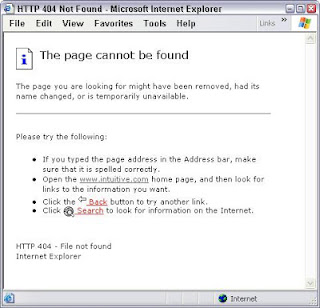
jadi pengen tau arti kode tersebut, ane browsing deh arti kode-kode http disini...
Daftar kode status
Arti dari kode HTTP yang sering muncul.

jadi pengen tau arti kode tersebut, ane browsing deh arti kode-kode http disini...
Daftar kode status
Arti dari kode HTTP yang sering muncul.
| Code |
Meaning |
Description |
| 100 | Continue | Confirms the client about the arrival of the first part of the request and informs to continue with the rest of the request or ignore if the request has been fulfilled |
| 101 | Switching Protocols | Informs the client about the server switching the protocols to that specified in the Upgrade message header field during the current connection. |
| 200 | OK | Standard response for successful requests |
| 201 | Created | Request fulfilled and new resource created |
| 202 | Accepted | Request accepted, but not yet processed |
| 203 | Non-Authoritative Information | Returned meta information was not the definitive set from the origin server. |
| 204 | No Content | Request succeeded without requiring the return of an entity-body |
| 205 | Reset Content | Request succeeded but require resetting of the document view that caused the request |
| 206 | Partial Content | Partial GET request was successful |
| 300 | Multiple Choices | Requested resource has multiple choices at different locations. |
| 301 | Moved Permanently | Resource permanently moved to a different URL. |
| 302 | Found | Requested resource was found under a different URL but the client should continue to use the original URL. |
| 303 | See Other | Requested response is at a different URL and can be accessed only through a GET command. |
| 304 | Not Modified | Resource not modified since the last request. |
| 305 | Use Proxy | Requested resource should be accessed through the proxy specified in the location field. |
| 306 | No Longer Used | Reserved for future use |
| 307 | Temporary Redirect | Resource has been moved temporarily to a different URL. |
| 400 | Bad Request | Syntax of the request not understood by the server. |
| 401 | Not Authorized | Request requires user authentication |
| 402 | Payment Required | Reserved for future use. |
| 403 | Forbidden | Server refuses to fulfill the request. |
| 404 | Not Found | Document or file requested by the client was not found. |
| 405 | Method Not Allowed | Method specified in the Request-Line was not allowed for the specified resource. |
| 406 | Not Acceptable | Resource requested generates response entities that has content characteristics not specified in the accept headers. |
| 407 | Proxy Authentication Required | Request requires the authentication with the proxy. |
| 408 | Request Timeout | Client fails to send a request in the time allowed by the server. |
| 409 | Conflict | Request was unsuccessful due to a conflict in the state of the resource. |
| 410 | Gone | Resource requested is no longer available with no forwarding address |
| 411 | Length Required | Server doesn’t accept the request without a valid Content-Length header field. |
| 412 | Precondition Failed | Precondition specified in the Request-Header field returns false. |
| 413 | Request Entity Too Large | Request unsuccessful as the request entity is larger than that allowed by the server |
| 414 | Request URL Too Long | Request unsuccessful as the URL specified is longer than the one, the server is willing to process. |
| 415 | Unsupported Media Type | Request unsuccessful as the entity of the request is in a format not supported by the requested resource |
| 416 | Requested Range Not Satisfiable | Request included a Range request-header field without any range-specifier value |
| 417 | Expectation Failed | Expectation given in the Expect request-header was not fulfilled by the server. |
| 422 | Unprocessable Entity | Request well-formed but unable to process because of semantic errors |
| 423 | Locked | Resource accessed was locked |
| 424 | Failed Dependency | Request failed because of the failure of a previous request |
| 426 | Upgrade Required | Client should switch to Transport Layer Security |
| 500 | Internal Server Error | Request unsuccessful because of an unexpected condition encountered by the server. |
| 501 | Not Implemented | Request unsuccessful as the server could not support the functionality needed to fulfill the request. |
| 502 | Bad Gateway | Server received an invalid response from the upstream server while trying to fulfill the request. |
| 503 | Service Unavailable | Request unsuccessful to the server being down or overloaded. |
| 504 | Gateway Timeout | Upstream server failed to send a request in the time allowed by the server. |
| 505 | HTTP Version Not Supported | Server does not support the HTTP version specified in the request. |
Komentar
Posting Komentar